Tax/VAT Calculator
Calculate tax amount and total price in real-time
The Tax/Vat Calculator is an easy-to-use, accurate, and instant online tool designed to help users calculate tax amounts with both include tax and exclude tax options. Whether you are a business owner, freelancer, accountant, shopper, or simply someone trying to understand how much tax is applied on a product or service, this calculator simplifies everything in seconds. With real-time results that update instantly as you type, users can effortlessly calculate Original Amount, Tax Amount, Total Amount, and access a detailed Tax Breakdown along with clear calculation formulas.
This tool supports multiple tax structures used worldwide, making it useful for VAT, Sales Tax, GST, Consumption Tax, and Other regional taxes. The interface is clean, minimal, and user-friendly, suitable for both beginners and financial professionals.
⭐ Why the Tax/Vat Calculator Was Created
Tax calculations often confuse people, especially when dealing with multiple tax rates, inclusion/exclusion formats, and regional variations. Many must manually calculate tax for products, invoices, e-commerce pricing, or business records. This tool eliminates the complexity by offering:
- Instant automatic calculations
- Easy switching between “Tax Included” and “Tax Excluded”
- No technical or financial expertise needed
- Ideal for personal and professional use
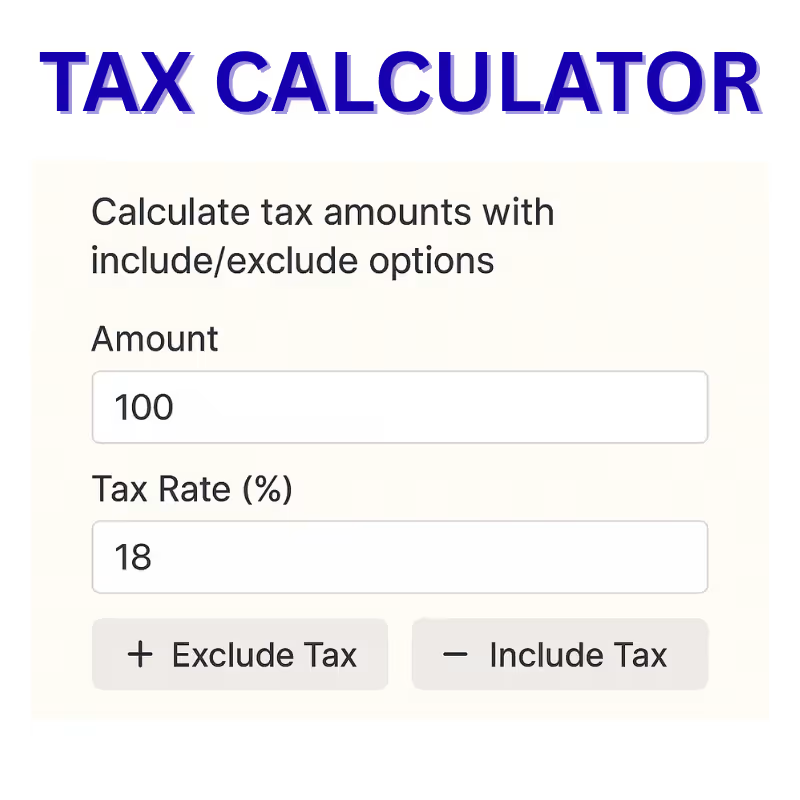
By simply entering the Amount and Tax Rate, users quickly get accurate values for Original Amount, Tax Amount, and Total Amount.
🔍 How the Tax/Vat Calculator Works
The tool uses two primary methods:
1. Tax Exclusive (Add Tax / Exclude Tax Option)
This method applies when the entered price does not include tax.
You want to add tax to the base amount.
Formula:
- Tax Amount = Original Amount × (Tax Rate / 100)
- Total Amount = Original Amount + Tax Amount
Example:
Amount = $100
Tax Rate = 18%
Tax Amount = $18
Total Amount = $118
This method is helpful for businesses pricing products before tax.
2. Tax Inclusive (Remove Tax / Include Tax Option)
This method applies when the entered price already includes tax.
You want to remove tax from the total.
Formula:
- Original Amount = Total Amount / (1 + Tax Rate/100)
- Tax Amount = Total Amount − Original Amount
Example:
Amount = $118
Tax Rate = 18%
Original Amount = $100
Tax Amount = $18
This method is useful in invoices, receipts, and bill verification.
✨ Key Features of the Tax/Vat Calculator
⭕ 1. Real-time Automatic Calculations
The tool updates results instantly as you type. No need to press extra buttons. This makes the experience fast, accurate, and incredibly convenient.
⭕ 2. Tax Include & Exclude Options
Users can choose between:
- ➕ Exclude Tax (Add Tax)
- ➖ Include Tax (Remove Tax)
This dual-mode functionality makes it suitable for multiple industries and use cases.
⭕ 3. Clean, Simple & User-Friendly Design
The interface shows:
- Amount input
- Tax Rate input
- Quick access buttons
- Clear results section
- Tax breakdown
- Formulas for transparency
Even first-time users can operate it without confusion.
⭕ 4. Suitable for All Regions
Whether it’s VAT (Europe), Sales Tax (USA), GST (India), VAT UAE, Consumption Tax (Japan), Service Tax, or any other tax structure — simply change the percentage.
⭕ 5. Supports Business & Personal Use
Ideal for:
✔ Online shoppers verifying tax
✔ E-commerce sellers
✔ Business owners preparing invoices
✔ Accountants & finance professionals
✔ Freelancers calculating tax for bills
✔ Students or learners studying taxation
⭕ 6. Accurate & Transparent Formulas
The calculator displays the formulas it uses, ensuring complete transparency.
Users will understand exactly how tax is being calculated, making it educational and trustworthy.
⭕ 7. Mobile-Friendly & Fast
The calculator works smoothly on:
- Smartphones
- Tablets
- Laptops
- Desktops
Fully responsive design ensures accessibility anywhere.
⭕ 8. No Registration, No Download Required
The Tax/VAT Calculator is browser-based, instantly accessible, and does not require installations.
⭕ 9. Helpful Tax Breakdown
The breakdown shows:
- Tax Rate
- Tax Percentage
- Applied Rate
- Original Amount
- Tax Amount
- Total Amount
All values are displayed in a clean, understandable format.
⭕ 10. Perfect for Global Tax Systems
This is a multi-purpose international tax calculator supporting:
- Value Added Tax (VAT)
- Goods and Services Tax (GST)
- Sales Tax
- Service Tax
- Consumption Tax
- VAT MOSS
- Retail Tax Systems
- Country-specific tax variations
📈 Who Can Use This Tool?
1. Business Owners
To prepare product prices, tax invoices, and billing summaries.
2. Online Sellers
To determine selling price, marketplace commission tax, and GST/VAT breakdown.
3. Shoppers
To verify if tax charged on invoices is correct.
4. Accountants
To speed up tax calculations and ensure error-free invoices.
5. Students
To learn how tax percentages and formulas work.
🧮 Example Calculations
Example 1: Tax Exclusive
Amount = $200
Tax = 10%
Tax Amount = $20
Total = $220
Example 2: Tax Inclusive
Amount = $220
Tax = 10%
Original Amount = $200
Tax Amount = $20
These examples help users verify results with ease.
🎯 Benefits for Users
✔ Saves time
✔ Avoids manual errors
✔ Transparent calculations
✔ Ideal for businesses
✔ Helps understand tax structure
✔ Quick and accurate results
✔ Supports global tax standards
The tool provides complete clarity and confidence in every calculation.