PDF to Word Converter
Transform your PDF documents into editable Word files with our easy-to-use converter
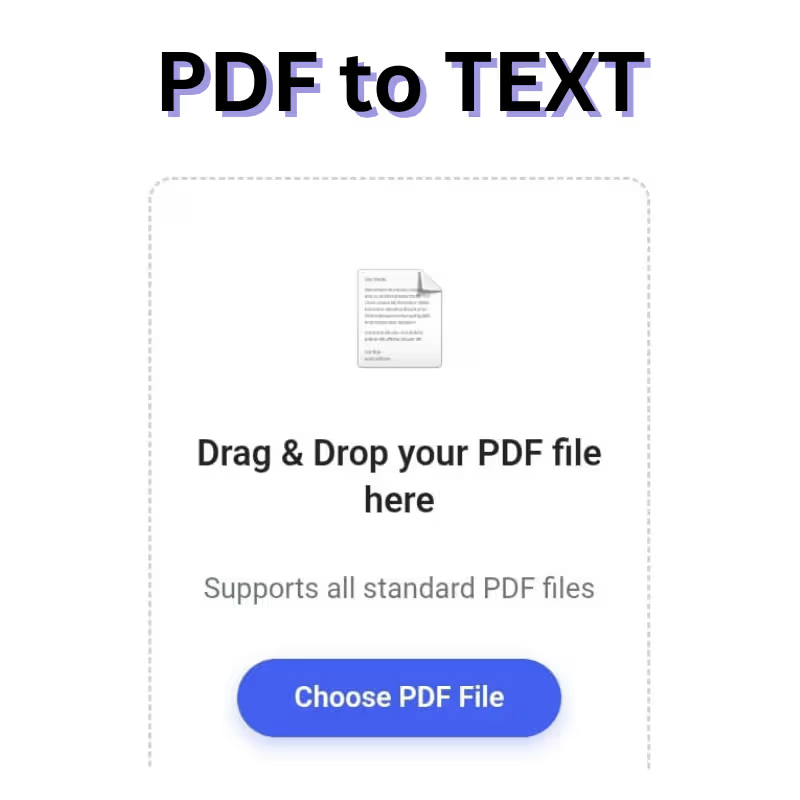
Drag & Drop your PDF file here
Supports all standard PDF files
PDF Preview
Converting Your Document
Processing...
Conversion Complete!
Your PDF has been successfully converted to a Word document.
Alternative Download Option
If the direct download doesn't work, you can copy the text below and paste it into a Word document:
PDF to TEXT Converter – Introduction
PDF files have become the universal standard for sharing documents across the web, offices, schools, and digital platforms. They preserve layout, fonts, images, and formatting exactly as intended, making them ideal for distributing reports, eBooks, forms, manuals, contracts, assignments, and presentations. However, when users need to extract editable content from a PDF, the process can be frustrating. Copying text manually often results in broken sentences, inconsistent spacing, missing characters, or unreadable symbols.
To solve this problem, we created a powerful yet simple PDF to Text Converter that transforms any readable PDF file into clean, editable text within seconds. This tool is designed for everyone—students, office professionals, researchers, content creators, web developers, teachers, journalists, and general users who want to quickly extract plain text without dealing with complex software.
Our tool is fast, secure, user-friendly, and requires no installation. With just a few clicks, users can upload a PDF and instantly get a neatly formatted text output. Whether you need editable content for rewriting, editing, analyzing, translating, or reusing, this converter makes the entire process efficient and effortless.
Why PDF to Text Conversion Matters
While PDFs are excellent for distributing information, they are not ideal for editing. Converting PDF to text solves many common problems, such as:
✔ Extracting content without formatting issues
Copying directly from a PDF often introduces unwanted line breaks or symbols. A converter ensures clean, readable text.
✔ Saving time on manual retyping
Typing long documents manually is not only tiring but also prone to errors. PDF-to-text conversion eliminates all manual work.
✔ Making content editable for writing or research
Writers, students, and researchers often need reference material or excerpts from PDFs. Extracted text makes editing easy.
✔ Useful for translation and content analysis
Text-based content can be easily fed into translation tools, analysis software, or content management systems.
✔ Lightweight and efficient
Plain text files are much smaller than PDFs, making storage and sharing easier.
This is why our PDF to Text Converter is essential for modern digital workflows.
How the PDF to Text Converter Works
Our tool uses advanced text extraction algorithms that identify the text layers embedded within a PDF. Most digitally created PDFs contain selectable text, and our converter extracts it with high accuracy.
Step-by-step process:
- Upload your PDF using drag & drop or file selection.
- The converter analyzes the PDF content.
- Extracts text from all pages sequentially.
- Generates clean, plain text without unusual spacing or symbols.
- Displays or downloads the extracted text instantly.
No installation, no sign-up, and no technical knowledge are required.

Key Features of Our PDF to Text Converter
1. Instant and Accurate Text Extraction
The extraction engine is optimized for speed, ensuring that even multi-page PDFs are processed in seconds. It removes unnecessary formatting while preserving paragraph structure, producing clean, readable text.
2. Works with All Standard PDF Files
The tool supports:
- digitally created PDFs
- text-rich documents
- book PDFs
- lecture notes
- office reports
- form-based PDFs
- multi-page files
As long as the PDF contains selectable text, the converter will extract it accurately.
3. Clean, Editable Output
Unlike raw copy-paste, which results in broken lines, our tool outputs plain, structured text suitable for:
- editing
- copying/pasting
- content rewriting
- translation
- research
- text mining
- documentation
4. Drag & Drop Upload
Just drag your PDF into the upload box—quick, modern, and user-friendly.
5. No Software Installation
You don’t need Adobe Acrobat, Word processors, or desktop software. Everything works online through your browser.
6. Mobile-Friendly & Responsive
The interface is fully optimized for mobile, tablets, and desktops. Convert PDFs anytime, anywhere.
7. Safe and Secure
Your files are processed securely and removed automatically after conversion. No data is stored, shared, or indexed.
8. Multi-Page Extraction
The converter reads every page and compiles all text into one single output file.
9. Zero Watermarks
Your extracted text is 100% clean without branding or watermarks.
10. Supports Long Documents
Whether your PDF is 1 page or 500+ pages, the tool handles large documents efficiently.
Who Can Benefit from PDF to Text Conversion?
This tool is versatile and useful across various fields:
1. Students
Extract lecture notes, assignments, or eBooks for rewriting and study purposes.
2. Teachers
Reuse content from PDFs for exams, worksheets, and lesson materials.
3. Professionals
Convert business reports, presentations, and manuals for editing and collaboration.
4. Writers and Bloggers
Extract content for rewriting, referencing, or research.
5. Researchers
Convert academic PDFs into editable text for analysis, citation, or data extraction.
6. Developers
Extract text from documents for machine learning, NLP, or database input.
7. Translators
Easily convert PDFs to editable text for fast translation.
8. Businesses
Prepare editable content for documents, marketing materials, or operations.
Advantages of Using Our PDF to Text Tool
✔ Simple and Beginner-Friendly
Even non-technical users can extract text without complications.
✔ No cost, no hidden fees
The tool is completely free to use.
✔ No ads or downloads
Clean, modern interface without clutter.
✔ Works on slow connections
The extraction engine is lightweight and optimized.
✔ Cloud-based processing
No need to install heavy software—saves storage and memory.
Use Cases
1. Academic Work
Extract theories, notes, and summaries from study material.
2. Research Analysis
Convert research papers for easier reading, citation, or NLP processing.
3. Business Operations
Convert contracts, invoices, HR documents, and business reports into text.
4. Legal Work
Extract text from legal PDFs for drafting or reviewing purposes.
5. Digital Content Creation
Extract material for blogs, scripts, documentation, ebooks, etc.
6. Archiving
Save plain text versions for searchable archives.
How Our Tool Is Better Than Conventional Methods
Manual Copy-Paste
- Causes broken words
- Introduces line breaks
- Misses hidden text
- Time-consuming
Desktop Software (e.g., Acrobat)
- Often paid
- Complex interface
- Requires installation
Other Online Tools
- Add watermarks
- Have ads
- Limited file size
- Insecure or store files
Our Tool
✔ Fast
✔ Free
✔ Secure
✔ No ads
✔ No watermarks
✔ No registration
Limitations (Honest Transparency)
1. No OCR for Image-Only PDFs
If your PDF is scanned or contains images of text, the tool cannot extract text unless the PDF includes embedded text layers.
2. Formatting Simplification
The tool removes heavy formatting such as:
- tables
- columns
- charts
- images
- special layouts
The goal is clean readable text—not visual replication.
Best Practices for Accurate PDF to Text Extraction
1. Use Text-Based PDFs
Digitally generated PDFs produce the best results.
2. Avoid Scanned PDFs Without OCR
For scanned documents, use OCR tools first.
3. Use High-Resolution PDFs
Clear text = better extraction accuracy.
4. Avoid Password-Protected PDFs
The tool cannot process encrypted PDFs unless unlocked.
Frequently Asked Questions (FAQ)
1. What is a PDF to Text Converter?
It is a tool that extracts readable text from PDF files and converts it to plain, editable text.
2. Can it convert scanned PDFs?
Only if the PDF contains embedded text. It does not perform OCR on pure image scans.
3. Will the formatting be preserved?
Basic paragraph structure is preserved, but advanced layouts are simplified.
4. Is my file safe?
Yes. Files are processed securely and automatically deleted after conversion.
5. Do I need to install anything?
No. It works directly in your browser.
6. Does it support multi-page PDFs?
Yes. It extracts text from all pages.
7. Is it free?
Yes, the tool is completely free.
8. Can I convert large documents?
Yes, as long as the PDF contains selectable text.
9. What format is the output?
Plain text (.txt) format.
10. Does it work on mobile?
Yes, the tool is mobile-responsive and works across all devices.