PDF Merge Tool
Combine multiple PDF files into one document quickly and securely
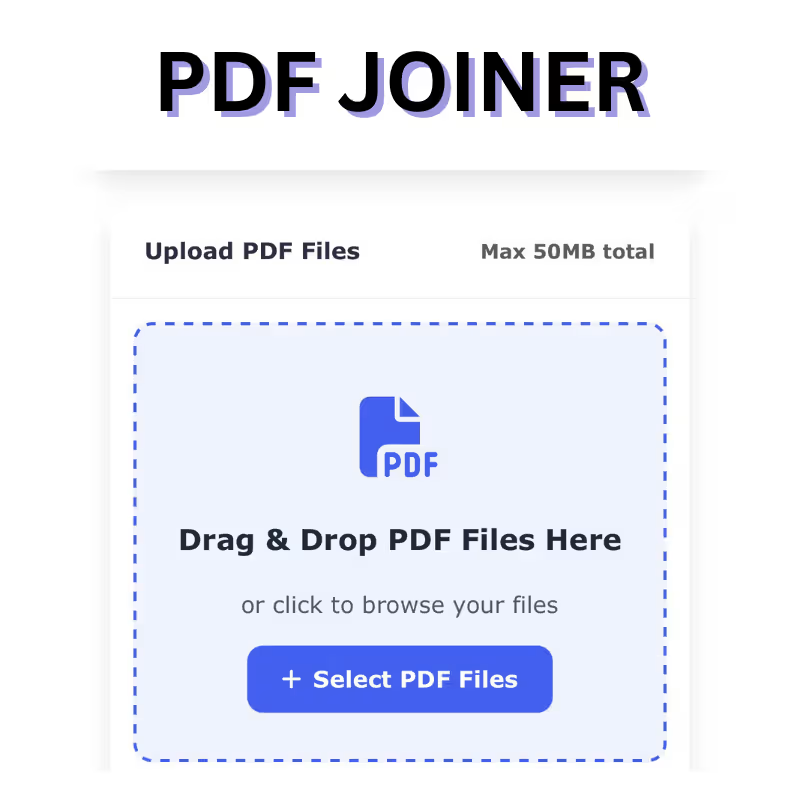
Drag & Drop PDF Files Here
or click to browse your files
No files uploaded yet
Upload PDF files to get started
Preparing files...
PDFs Merged Successfully!
Your combined PDF file is ready for download
Pdf Joiner – The Ultimate PDF Merge Tool: A Comprehensive Guide to Client-Side PDF Management
Managing documents is a daily necessity for students, professionals, businesses, and organizations across every industry. Whether you are preparing a report, combining invoices, organizing eBooks, or merging forms for hassle-free sharing, a reliable Pdf Joiner – PDF Merge Tool becomes essential. Our Pdf Joiner – PDF Merge Tool is designed to simplify this process by allowing users to combine multiple PDF files into one document quickly, securely, and with exceptional accuracy. With a modern interface, fast performance, and 100% client-side processing, it ensures privacy, ease of use, and efficiency.
This detailed description covers how the tool works, its unique benefits, key features, use cases, performance details, and why it stands out among online PDF merging solutions.
Introduction to the Pdf Joiner or PDF Merge Tool
The PDF Merge Tool is a free and user-friendly online utility that enables you to combine several PDF documents into a single, well-organized file. PDF merging is one of the most frequently required tasks when working with digital documents, especially for users who need consolidated content for presentations, reports, administrative tasks, or digital archiving.
Unlike many online tools that upload files to remote servers, this PDF merger processes everything directly in your browser. This client-side processing ensures that your files remain on your device and are never transferred or stored externally, providing maximum security and privacy.
The tool supports PDF files up to 50MB total, making it suitable for merging multiple forms, scanned documents, or large PDFs without compromising performance. Thanks to its drag-and-drop interface and intuitive layout, anyone—from beginners to advanced users—can merge PDFs effortlessly.
Why Pdf Joiner Is Important
PDF files are widely used because of their compatibility, consistent formatting, and high level of security. However, managing multiple PDFs separately can become inconvenient. Merging PDFs allows users to:
- Streamline document management
- Share consolidated files more easily
- Reduce clutter
- Preserve order and readability
- Ensure documents remain intact and professionally formatted
- Prepare reports, eBooks, and portfolios
The PDF Merge Tool is purpose-built for these needs while providing a fast and seamless experience.
How the PDF Merge Tool Works
Using the tool is extremely simple and requires no technical expertise. You can merge files in just a few steps:
1. Upload your PDF files
You can upload multiple files using:
- The Upload PDF Files button
- The Drag & Drop area for quick processing
The tool supports multiple files simultaneously, and the combined file size can be up to 50MB.
2. Rearrange the order
Once uploaded, the tool allows you to rearrange PDF pages or reorder entire files simply by dragging them. This ensures your final merged document is perfectly structured.
3. Click Merge
After arranging the files in the desired sequence, you simply click the Merge button. The tool instantly processes your PDFs and combines them into a single output file.
4. Download the merged PDF
Once the merging process is complete, you can instantly download the combined file. No email registration or additional steps required.
Because merging happens directly in your browser, the entire interaction is secure, fast, and private.
Pdf Joiner – Extended Description
Our PDF Merge Tool is built for users who demand speed, reliability, and top-level privacy. Traditional online PDF merging solutions upload your documents to external servers, which may compromise confidentiality or introduce delays. However, this tool utilizes advanced JavaScript-based client-side processing, ensuring every action—from uploading to merging—occurs inside your own browser.
The interface is designed with modern UI principles, ensuring that users can easily interact with the tool without any learning curve. If you are merging PDF files for a project submission, client documentation, academic research, or digital paperwork, the platform ensures a smooth and efficient workflow.
The “100% client-side processing” feature is one of the biggest advantages. This means:
- No files leave your device
- No servers store or analyze your documents
- No risk of data leakage
- No waiting time due to slow uploads
This is especially important for sensitive documents such as legal papers, financial statements, medical records, contracts, personal identification documents, or corporate files.
The tool’s capability to handle up to 50MB total combined file size makes it suitable for merging bulky PDFs like eBooks, scanned images, technical manuals, or high-resolution brochures. It maintains text clarity, image quality, and document structure without compression losses.
The merging algorithm ensures that the final output retains the original formatting exactly as it appears in the input files. Whether your PDFs contain images, embedded fonts, tables, forms, or vector graphics, the merged output is a perfect representation of your original content.
With its drag-and-drop support, users can add and rearrange files quickly. This flexibility is beneficial for users who need precision, such as compiling legal bundles, multi-section reports, or project documentation.
Key Features of the PDF Merge Tool
1. 100% Client-Side Processing
Unlike tools that rely on server-side operations, our PDF merger processes all files directly in your browser. This ensures:
- Total privacy
- Faster merging
- Zero risk of file exposure
- No need for login or cloud storage
Your documents never leave your device.
2. Fast & Efficient PDF Merging
The tool uses highly optimized algorithms that merge files quickly, even if they contain:
- Images
- Forms
- Tables
- Signatures
- Multiple pages
This saves time and boosts productivity.
3. Drag & Drop PDF Uploading
Users can drag files directly into the Drop Zone for quick uploading. This feature is ideal for multi-file workflows and enhances convenience.
4. Supports Up to 50MB Total File Size
You can merge multiple large PDFs within a combined size of 50MB. This is particularly useful for:
- Corporate PDFs
- Scanned documents
- E-books
- Manuals
5. Rearrangement of PDF Files
Before merging, users can reorder files easily. Just drag the file cards into the correct sequence.
6. No Installation Required
The PDF Merge Tool runs entirely in your browser, meaning:
- No downloads
- No app installations
- No plugins or extensions required
It works instantly on any device with internet access.
7. Compatible Across All Devices
The tool supports:
- Windows
- macOS
- Linux
- Android
- iOS
It works seamlessly on desktops, tablets, and mobile devices.
8. Secure and Private
Because everything happens locally:
- Your data is fully protected
- No tracking
- No file storage
- No third-party access
Perfect for sensitive or confidential documents.
9. High-Quality Output
The merged PDF retains:
- Original formatting
- Image quality
- Fonts and styles
- Layout precision
This ensures professional-level output every time.
10. Easy-to-Use Modern Interface
With clean UI design, large icons, and user-friendly text labels, the tool is simple, intuitive, and visually appealing.
Use Cases
- Combining resumes and certificates
- Consolidating tax documents
- Merging legal contracts
- Creating multi-chapter eBooks
- Preparing classroom notes
- Bundling invoices and receipts
- Combining scanned pages into one file
- Preparing project reports
- Sending documents as a single attachment
Why Choose This PDF Merge Tool?
- Completely free to use
- No watermarks
- No sign-up requirements
- No ads interrupting workflow
- Lightweight and fast
- Privacy-focused
- Works on all operating systems
- Designed for both personal and professional use
This makes it a superior alternative to many online PDF merging tools that require paid subscriptions, account creation, or server uploads.
Final Thoughts
The Pdf Joiner – PDF Merge Tool is a must-have resource for students, professionals, businesses, and anyone dealing with PDFs. Its speed, simplicity, privacy-first architecture, and high-quality output make it one of the most reliable PDF merging solutions available today. Whether you’re merging two PDFs or twenty, it completes the task efficiently while maintaining absolute file security.
This tool is proof that merging PDFs doesn’t need complex software, long uploads, or subscriptions—everything happens instantly and securely on your device.